


I used to think mini gadgets were more novelty than necessity. A tiny webcam or a palm-sized power bank always felt like something you buy once, use twice, then forget in a drawer. That changed the moment I started traveling more often and packing lighter. Once I switched most of my everyday carry to USB-C-only accessories, my bag got smaller, and my cable mess disappeared almost overnight.
That is really the appeal of mini gadgets built around USB-C. You get one cable standard across your phone, laptop, camera accessories, and small tools, so you are not digging through a pouch trying to figure out which plug goes where. Below are seven mini gadgets I have either used personally, researched closely, or would recommend based on real-world specs and functionality. I will also flag anywhere pricing or availability might have shifted since these products were reviewed, since gadget listings change often.
Why Mini Gadgets With USB-C Are Worth Considering
Full-size electronics usually win on raw performance. A full-size webcam, router, or external drive will often outperform its miniature counterpart in some way. But mini gadgets solve a different problem entirely. They solve the problem of space, weight, and cable clutter.
If you travel for work, live in a small apartment, or prefer a minimalist desk setup, mini gadgets are not a downgrade. They are a different tool for a different job. And because USB-C has become the near-universal charging and data standard, these mini gadgets now play nicely with almost everything else you own, from your laptop to your tablet to the latest iPhone models.
1. Tiny USB-C Webcam
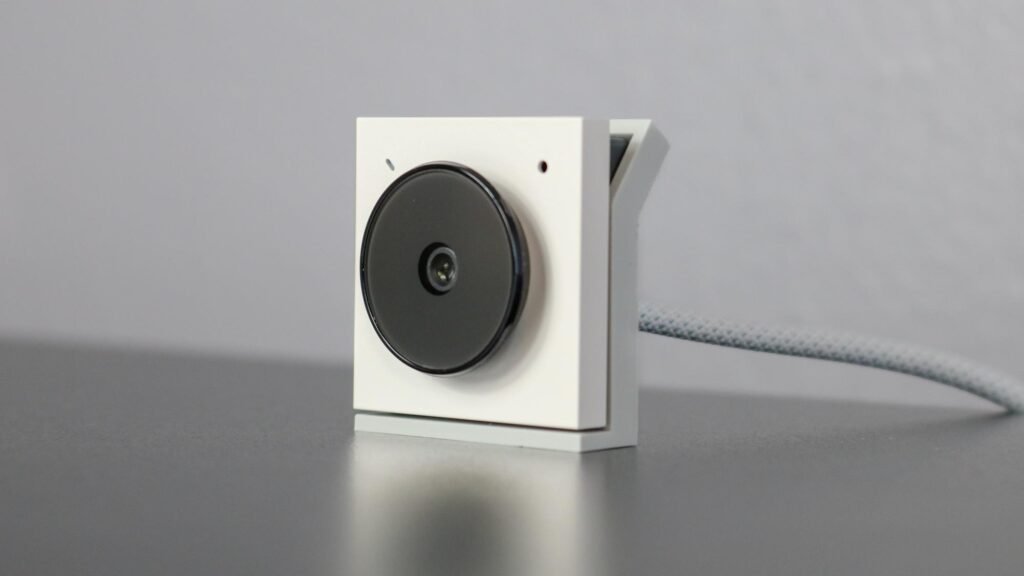
Video calls are not going away, whether you are teaching, streaming, or just checking in with family. Most USB webcams on the market are bulkier than they need to be, which makes them a poor fit for a minimalist desk or a travel bag.
Tiny USB-C webcams solve that. One notable example is the OBSBOT Meet 2, which measures under two inches in any direction and weighs less than two ounces, yet still supports 4K video at 30fps along with 1080p and 720p options at 60fps. It connects through a USB-C to USB-C cable, and a USB-A adapter is typically included for older machines. There are even coin-sized USB-C webcams available, though those usually trade resolution for size, so do not expect crisp video from the smallest options.
Among mini gadgets for a home office, a compact webcam is one of the easiest upgrades to justify, especially if your current one is an oversized leftover from years ago.
2. USB-C Travel Router
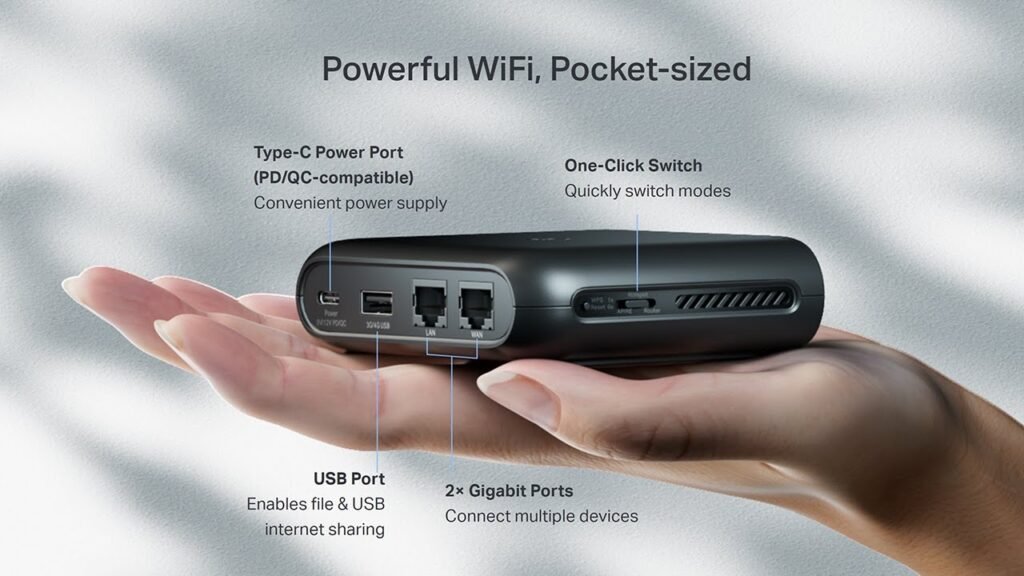
Anyone who travels regularly knows the annoyance of hotel or RV park Wi Fi. It is often slow, sometimes limited to one device per guest, and frequently requires signing in again every time your phone disconnects.
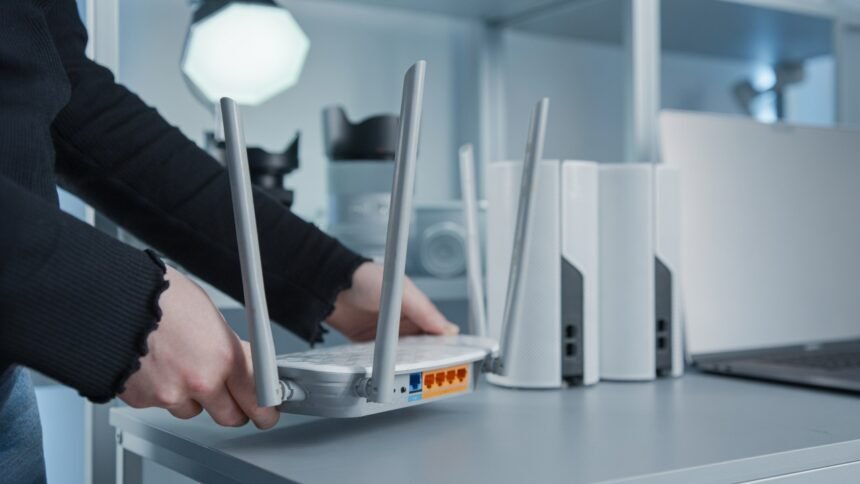
A travel router fixes this by connecting to the available Wi Fi or Ethernet source and then creating its own private network for all your devices. The TP Link Ultra Portable AX1500 is one USB-C powered option worth mentioning. It supports Wi Fi 6, claims speeds up to 1.5 Gbps, and can function as a router, access point, or range extender depending on where you are staying. It also works with USB-C or PD and QC power banks, which gives you flexibility if you are already carrying a battery pack.
Among mini gadgets built for frequent travelers, a router this small genuinely changes how much you rely on unreliable public Wi Fi.
3. Pocket-Sized External SSD
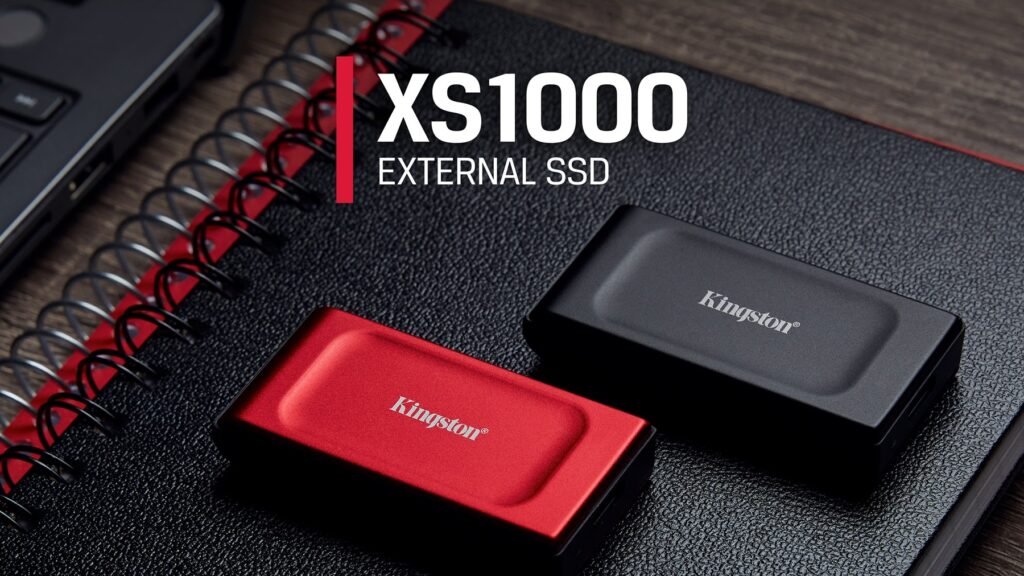
External drives are already fairly portable, but pocket-sized options take that further. If you shoot photos, edit video, or need backup storage that will not weigh down your bag, a mini SSD is worth a look.
The Kingston XS1000 is a good reference point here. It measures roughly 2.7 by 1.3 by 0.53 inches, small enough to fit in a jeans pocket, and is rated for write speeds up to 1,000MB per second with capacity options up to 2TB. There are even smaller alternatives shaped more like a flash drive, with a built-in USB-C connector so no cable is needed at all, and some of these work directly with phones as well as computers.
I would treat exact pricing and available capacities as something to double-check before buying, since storage pricing shifts often and older listings can be outdated.
4. Mini Photo Printer
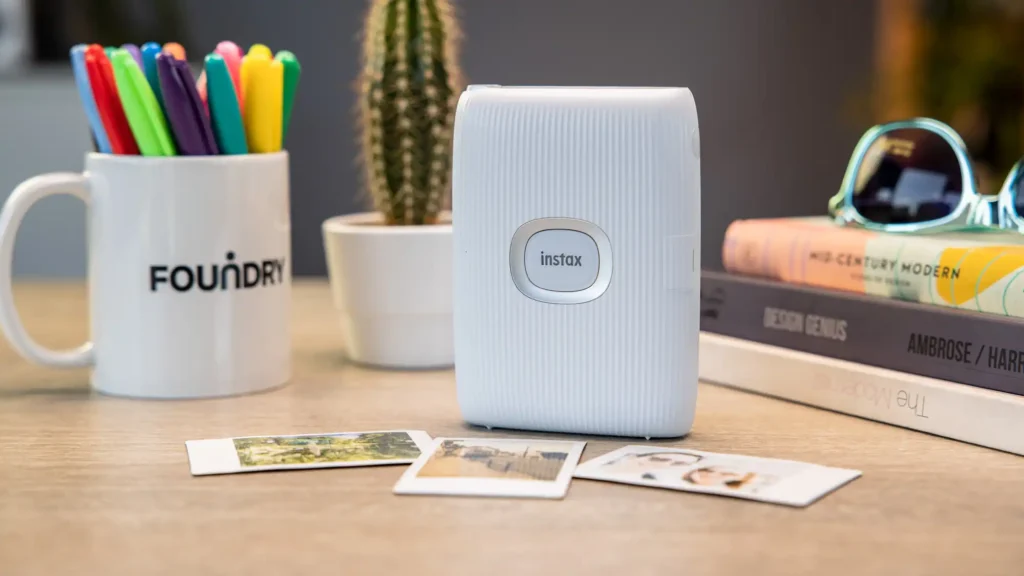
Digital photos are convenient, but there is still something satisfying about holding a printed picture. A mini photo printer lets you skip the print shop entirely.
Two commonly mentioned options are the FUJIFILM Instax Square Link and the Canon IVY 2, both of which charge over USB-C. The Instax Square Link reportedly prints around 100 photos per full charge at roughly 12 seconds per print, while the Canon IVY 2 is rated closer to 20 prints per charge at about 50 seconds each. Both pair with a companion app for adding text, frames, or stickers before printing.
These specs come from manufacturer and retailer listings rather than my own testing, so treat exact print counts as approximate rather than guaranteed.
5. Plug-In Power Bank
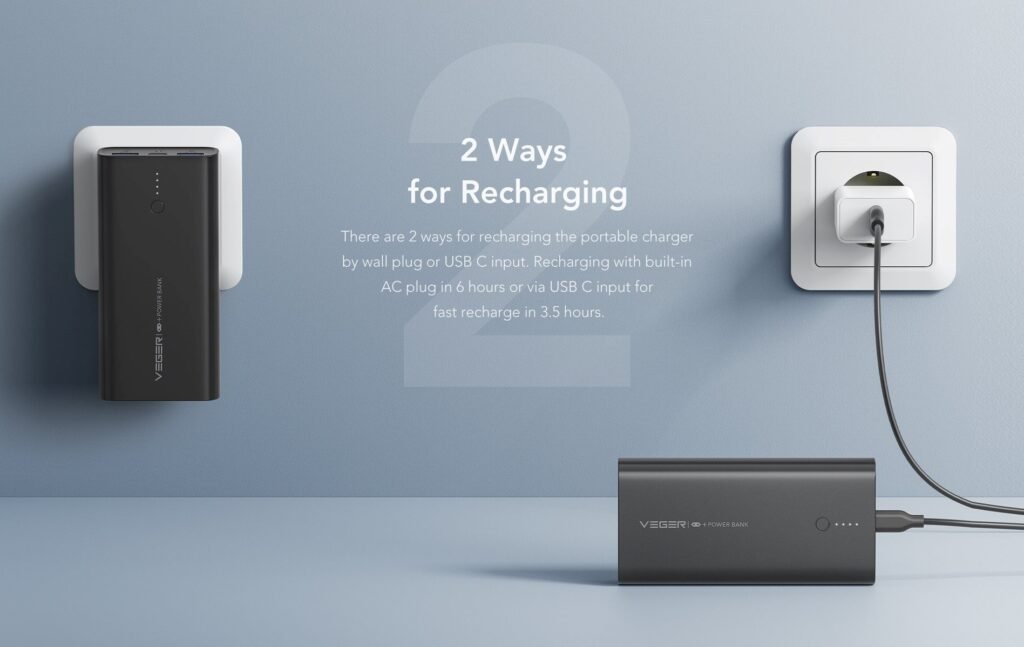
Nothing ruins a day of sightseeing faster than a phone battery hitting single digits before lunch. A power bank is one of the most obvious mini gadgets to carry, but the plug-in style takes portability a step further by skipping the cable entirely.
The Anker Nano 5000mAh 22.5W is one example. It weighs about 3.5 ounces, plugs directly into your phone thanks to a built-in USB-C connector, and can reportedly give an iPhone 15 close to a 0.8 charge on a single use. Because it connects directly, there is no cord to lose or tangle.
Battery capacity and charge percentages can vary by phone model, so I would not treat that 0.8 figure as fixed across every device.
6. Mini USB-C LED Flashlight
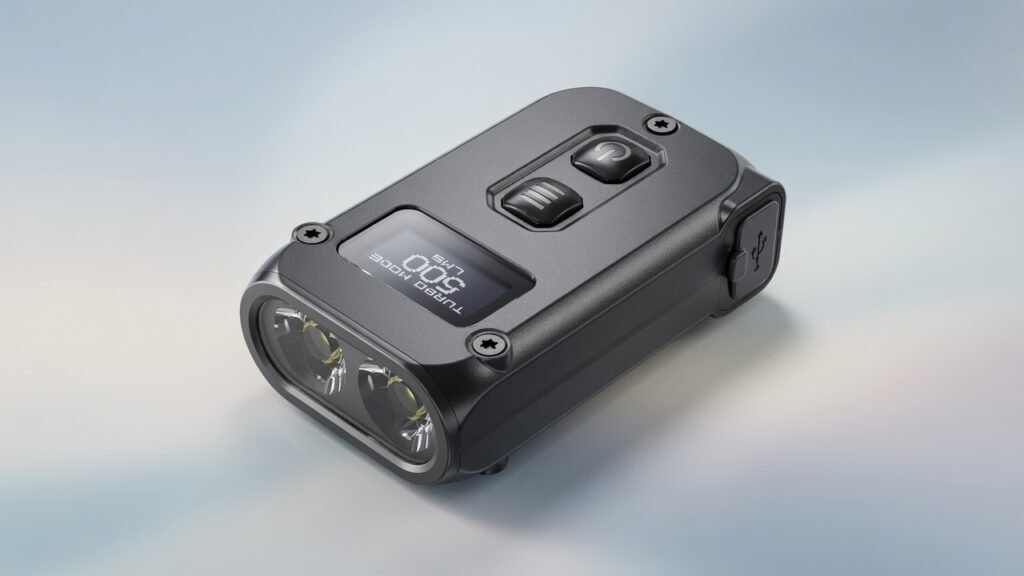
This one rarely gets attention, but I think it deserves a spot on any mini gadgets list. A USB-C rechargeable keychain flashlight is small enough to clip onto a bag or keyring, yet bright enough to be genuinely useful during a power outage, a late-night walk, or digging through a dark glovebox.
Unlike disposable battery flashlights, these charge directly from the same USB-C cable as your phone, which means one less type of battery to keep stocked. I haven’t tested a specific model closely enough to name one confidently. If you want to add this to your setup, please check recent reviews and current specs before buying, as brightness ratings and battery life vary significantly between brands.
7. Mini USB C Desk Fan

Small desk fans have been around for years, but the USB-C versions are a real improvement over the old USB-A plug-in fans that offered no speed control and ran off your laptop battery the entire time they were on.
A USB-C mini desk fan typically has its own rechargeable battery, adjustable speed settings, and a compact footprint that fits on a crowded desk or in a bag for a hot commute. Like the flashlight above, exact runtime and airflow numbers vary by brand, so I would treat any specific figures you see online as estimates until you check the current product listing.
How I Think About Choosing Mini Gadgets
After using a handful of these myself, I have landed on a simple filter. I ask whether the mini gadget replaces something bulkier I already own, or whether it is solving a genuine gap, like the flashlight or fan above. Mini gadgets that replace a bigger, less convenient version of the same tool tend to earn a permanent spot in my bag. Mini gadgets bought purely because they looked interesting online tend to get used once and forgotten.
I also check the USB-C detail specifically before buying anything. Some listings advertise USB-C charging but bury the fact that data transfer, if the gadget needs it, still runs at a slower USB 2.0 speed. That is not always a dealbreaker, but it is worth knowing before you assume a mini gadget will perform like its full-sized counterpart.
If you enjoy this kind of practical gear breakdown, our Paradox Smart Gadgets coverage regularly looks at small, USB-C-friendly tools like these that are easy to justify adding to a bag or desk setup.
Frequently Asked Questions
- Are mini gadgets with USB-C actually reliable, or just a gimmick?
Reliability really depends on the brand and specific product rather than the mini gadgets category as a whole. A well-reviewed mini SSD or webcam from an established brand tends to perform close to its advertised specs, while unbranded budget options are more of a gamble.
- Do all mini gadgets with USB-C charge at the same speed?
No. USB-C is a connector type, not a guarantee of charging speed. Two mini gadgets can both use USB C while charging at very different wattages, so it is worth checking the actual charging specs rather than assuming USB C alone tells you enough.
- Can I use one USB-C cable for all these mini gadgets?
In most cases, yes, which is one of the biggest advantages of sticking to USB-C mini gadgets. That said, some devices need a cable rated for higher wattage or faster data transfer, so a very basic charging-only cable may not work well with something like an external SSD.
- Are mini gadgets a good gift idea?
They can be, especially for people who travel often or work from a small desk. A mini power bank, flashlight, or photo printer tends to be practical enough that it actually gets used, rather than sitting in a drawer.
- Do mini gadgets with USB-C work with both iPhone and Android?
Many do, since recent iPhone models moved to USB-C as well. Still, it is worth confirming compatibility for each specific mini gadget, since some accessories are designed with one ecosystem in mind even if the port itself is universal.
- Is it worth paying more for a well-known brand when buying mini gadgets?
In my experience, yes, particularly for anything with a battery inside, like a power bank or flashlight. Battery safety and long-term charge retention tend to be where budget brands cut corners, so a bit of research beforehand goes a long way.
- How do I know if a mini gadget will actually save space compared to what I already own?
Compare the dimensions and weight directly rather than relying on the word mini alone, since the term gets used loosely across listings. If a mini gadget is only slightly smaller than what you already carry, it may not be worth replacing.
Expert’s Opinion
Mini gadgets with USB-C are not trying to replace your full-sized electronics, and they do not need to. They are built for the moments when space, weight, or cable clutter matter more than raw performance, whether that is a cramped desk, a carry-on bag, or a weekend trip where every ounce counts. Some of these mini gadgets, like the pocket SSD or travel router, solve a real and specific problem. Others, like the flashlight or fan, are smaller conveniences that add up over time.
If you are building out your own kit, I would start with whichever mini gadget solves a problem you already have, rather than buying several at once. That approach has worked better for me than assuming every mini gadget on a list like this one is worth owning.