


Article Highlights
- Mesh Wi-Fi cannot exceed the maximum speed set by your internet plan
- It helps you reach your existing plan speed more consistently across your home
- A dedicated backhaul connection is the key reason mesh Wi-Fi performs better at a distance
- Mesh systems cost more than standalone routers and are best for larger homes with multiple dead zones
- A simple Wi-Fi extender may be the smarter and cheaper fix for a single weak spot
I switched to a mesh Wi-Fi system a couple of years ago after getting tired of the dead zone in my home office. Before I made the change, I assumed a mesh setup would make my internet faster everywhere in the house. That assumption was only partially correct. I’ll walk you through what I learned so you don’t make the same mistake I did.
What A Mesh Wi-Fi System Actually Does
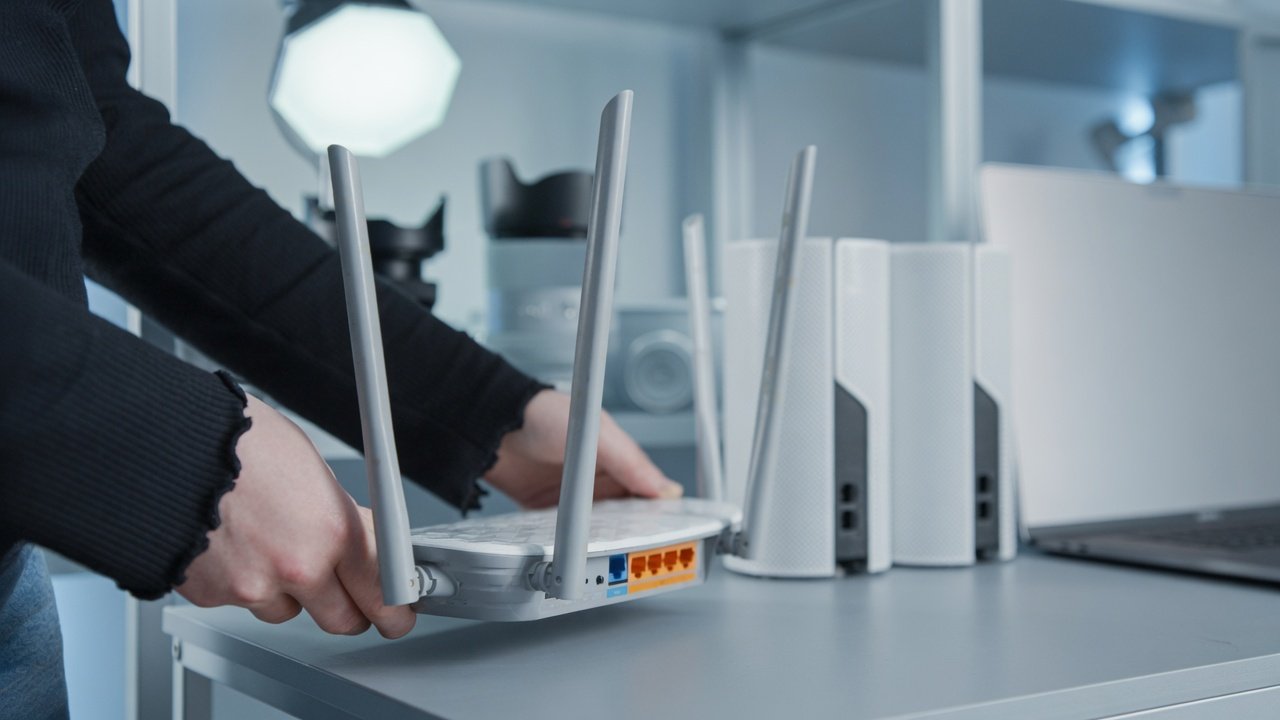
A mesh Wi-Fi system is a wireless network built from a primary router and one or more satellite nodes that work together to cover a larger area of your home. Each node talks to the others and to your devices, so you get one continuous network instead of a single router straining to reach every corner.
That setup is a big reason people believe mesh WiFi will make their connection faster. It sounds logical. More hardware, more coverage, more speed, right? Not quite, and this is the part that surprised me the most when I researched it properly.
Does Mesh Wi-Fi Make Your Internet Faster
Here is the honest answer. The download speed listed on your internet service plan is the ceiling. That number is the fastest your connection can ever be, and no piece of hardware, mesh or otherwise, can push you past it. So no, mesh WiFi does not make your internet faster than what you are paying for.
What mesh Wi-Fi does make faster is your access to the speed you are already paying for in rooms where your signal used to struggle. If you sit right next to your router, you are probably already getting close to your plan’s advertised speed. The problem shows up when you walk into another room, especially one separated by walls, floors, or furniture that block the signal.
I noticed this firsthand in my own house. My old single router setup gave me great speed in the living room and almost nothing usable in my home office two rooms away. When I ask myself, does mesh WiFi make your internet faster in situations like that, my honest answer is yes, in the sense that it lets you actually reach the speed you were already paying for instead of losing most of it to distance.
How Mesh Wi-Fi Closes The Distance Gap
The reason a mesh Wi-Fi system helps in these scenarios comes down to how the nodes communicate. Instead of forcing your device to reach all the way back to a single router, you connect to whichever node is closest to you. That node then relays your traffic back to the main router through a dedicated backhaul connection.
This backhaul channel is separate from the regular traffic your devices generate, so it is not competing with everything else trying to use the network at the same time. In practical terms, this means a device standing far from your main router but close to a satellite node can pull a connection speed much closer to your plan’s true maximum. That is the real value behind mesh Wi-Fi, and it is why so many people conclude mesh Wi-Fi does make their internet feel faster in daily use, even though the underlying maximum speed never actually changes.
My Real World Experience With Mesh Wi-Fi
When I set up my mesh system, the improvement in my home office was immediate. Video calls stopped freezing, and file uploads that used to crawl started moving at a pace closer to what my provider promised. That was the mesh Wi-Fi difference for me, not a faster internet plan, but a much more reliable one throughout the house.
I also tested it the way most people probably would, by running speed tests in every room. Right next to the main router, the numbers barely changed compared to my old single router. But two rooms away, where I used to see a fraction of my plan’s speed, the mesh nodes brought me much closer to full speed. That is the practical answer to whether mesh Wi-Fi will make your internet faster in the places that matter to you day to day.
Is A Mesh Wi-Fi System Worth Buying
A mesh Wi-Fi system can genuinely improve network consistency and cut down on dead zones, but the higher price is not automatically worth it for every household. Mesh systems commonly cost at least twice as much as a standalone router, so it is worth being honest with yourself about the size of your problem before you buy one.
If you are only dealing with a weak signal in one specific room, a full mesh Wi-Fi setup might be more than you need. A simple Wi-Fi extender, which plugs into an outlet and boosts your signal over a limited area, tends to be a cheaper option. For a single trouble spot, an extender can often make your internet noticeably faster in that room without the cost of a complete mesh system.
For larger homes, multiple floors, or several persistent dead zones, a mesh Wi-Fi system usually makes more sense. The extra nodes and the ability to expand coverage room by room is where mesh Wi-Fi earns its higher price tag.
Getting The Most Out Of Your Mesh Wi-Fi Setup
If you already own a mesh Wi-Fi system and still feel like your connection is slow, a few adjustments can help. Placing nodes at a moderate distance from each other, avoiding thick walls between them, and keeping them off the floor can all make a noticeable difference. Updating firmware regularly and checking for a stronger backhaul connection, wired if your setup supports it, are also worth doing before assuming your hardware is the problem.
I also learned that not every mesh Wi-Fi brand performs the same in every home. Layout, building materials, and even the number of connected devices can all affect results, so what worked well for my house might need adjusting in yours.
This kind of practical home networking advice fits well within a category like Paradox Smart Gadgets, where the goal is helping people get real, usable performance out of the tech they already own rather than chasing specs that do not matter in daily life.
My Personal Experience and Thoughts
So does mesh Wi-Fi make your internet faster? Not in the sense of raising the maximum speed your provider gives you. What mesh Wi-Fi does make possible is a much more even and reliable connection throughout your home, especially in the rooms that used to struggle. Whether that is worth the extra cost depends on how big your home is and how widespread your dead zones already are. For some households, a simple extender solves the problem. For others, a full mesh Wi-Fi system is the more sensible long-term investment.
I want to flag one honest caveat here. Specific pricing, node counts, and product recommendations vary by brand and change often, so treat any numbers you see elsewhere as estimates rather than fixed facts, and check current listings before buying.
Frequently Asked Questions
Does mesh Wi-Fi make your internet faster than my internet plan allows?
No. Your internet service plan sets the maximum possible speed. Mesh Wi-Fi cannot push you past that ceiling; it can only help you reach it more consistently in different parts of your home.
Will mesh Wi-Fi make a noticeable difference if I only have a small apartment?
Probably not as much. If your current router already reaches every room with a strong signal, a mesh Wi-Fi system may not add much value. Mesh setups shine in larger homes or spaces with multiple dead zones.
Is a Wi-Fi extender a cheaper alternative to mesh Wi-Fi?
Yes, for a single weak spot, a Wi-Fi extender is usually cheaper and simpler than a full mesh Wi-Fi system. Mesh systems make more sense when you have several problem areas or a larger home to cover.
Does mesh Wi-Fi make internet faster for gaming and video calls?
It can help by providing a steadier, stronger connection in rooms far from your main router, which reduces lag and dropped calls. It still will not exceed your plan’s maximum speed.
How many mesh Wi-Fi nodes do I actually need?
That depends on your home’s size and layout. Most households start with two or three nodes and add more only if dead zones remain after the initial setup.
Can mesh Wi-Fi make my internet slower in some cases?
Poor node placement, outdated firmware, or a weak backhaul connection can create inefficiencies. When set up correctly, though, mesh Wi-Fi should not make your connection slower than a single router.
Does mesh Wi-Fi make it easier to connect more devices at once?
Generally yes. Mesh systems are built to handle more simultaneous connections gracefully compared to many standalone routers, which helps in homes with lots of smart devices.
Should I upgrade to mesh Wi-Fi if I already have a strong single router?
Only if you are experiencing real dead zones or inconsistent coverage, if your current setup already reaches every room well, mesh Wi-Fi may not be a necessary upgrade.