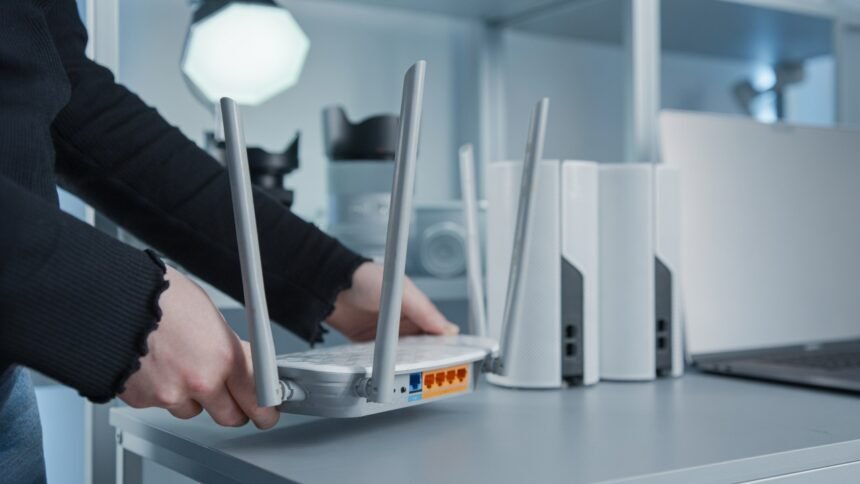

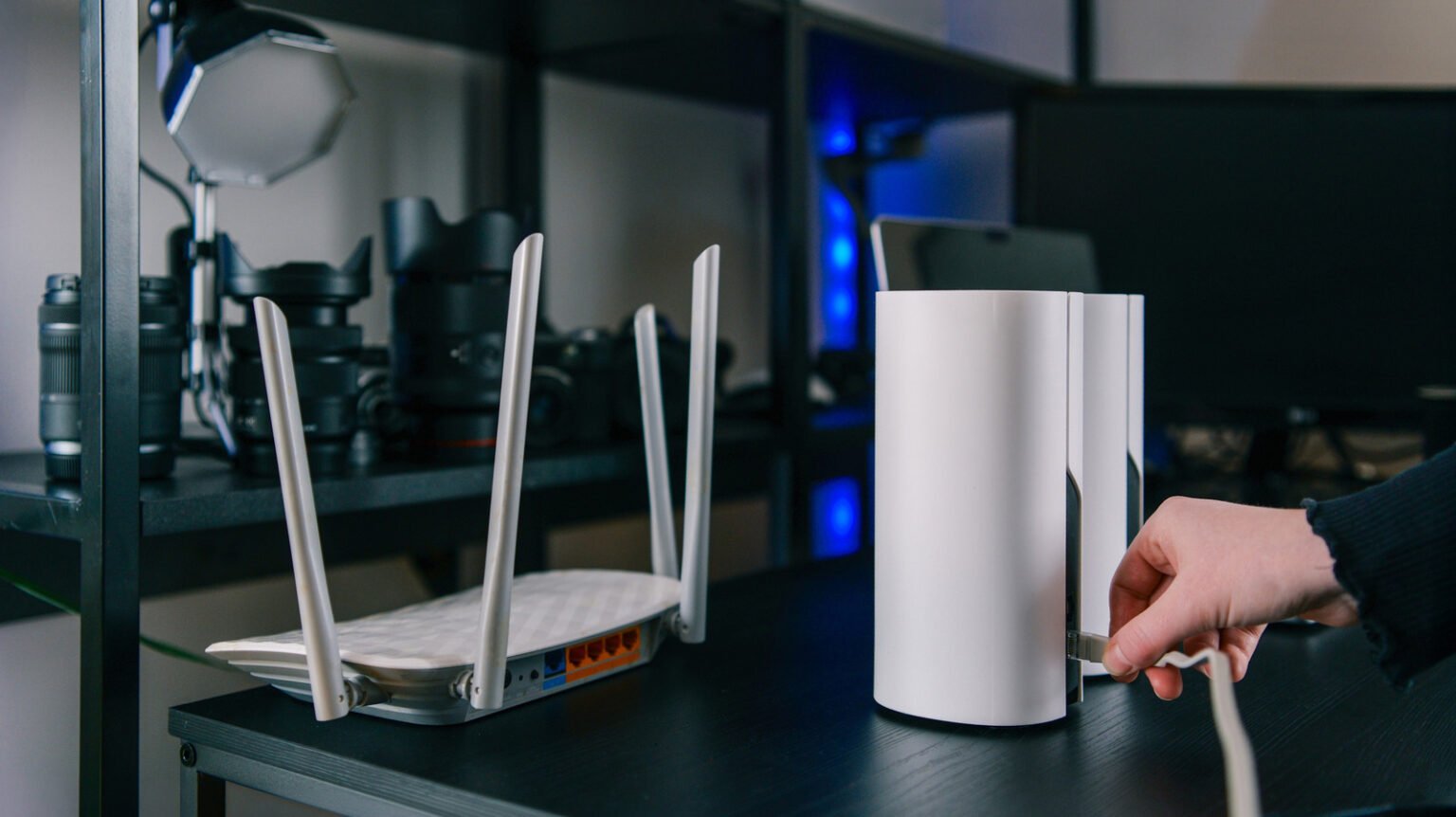


A slow internet connection can make everyday tasks frustrating, especially when your WiFi works well in the living room but struggles in bedrooms, upstairs rooms, or a home office. If you experience weak signals in different parts of your home, a mesh WiFi system could be a practical solution. However, it is important to understand how this technology works and whether it can actually Improve Internet Speed throughout your home.
Mesh WiFi systems use multiple connected devices to distribute wireless coverage across a larger area. Instead of relying on a single router, they create a network that helps your devices stay connected as you move between rooms. This can improve signal strength, reduce dead zones, and make internet performance more consistent.
But does mesh WiFi make your internet faster in every room? The answer depends on your internet plan, home layout, equipment, and the placement of your mesh nodes. Here is what you should know before investing in a mesh WiFi system.
What Is Mesh WiFi and How Does It Work?

Mesh WiFi is a wireless networking system that uses a main router and one or more satellite nodes to extend coverage throughout your home. These nodes communicate with one another to distribute your internet connection across different areas.
A traditional router broadcasts WiFi from one central location. Its signal can become weaker when it travels through thick walls, floors, furniture, and other obstacles. This often creates areas where the internet feels slow or unreliable.
A mesh WiFi system addresses this problem by placing additional nodes around your home. Each node helps provide wireless coverage in its surrounding area, allowing devices to connect through the mesh network.
The main purpose is to Improve Internet Speed where weak WiFi coverage is the problem. It does not automatically increase the speed supplied by your internet service provider, but it can help you use your existing connection more effectively.
Does Mesh WiFi Make Your Internet Faster?
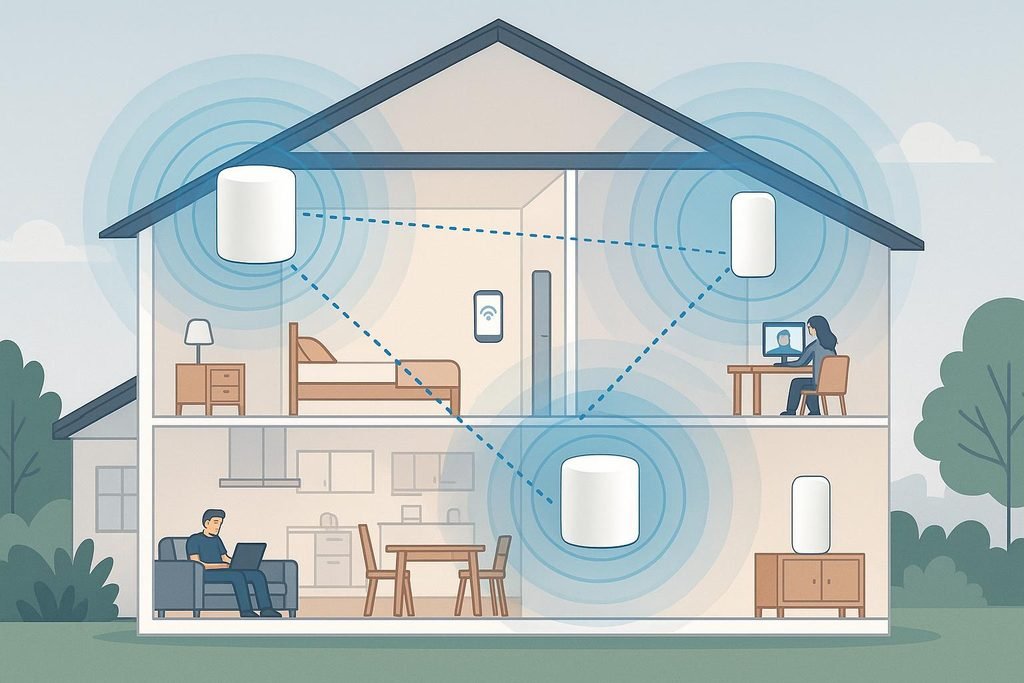
Yes, mesh WiFi can make your internet feel faster, particularly in rooms where your existing router struggles to deliver a strong signal. However, the improvement depends on the cause of your slow connection.
For example, imagine that your router delivers a reliable connection in the living room but provides weak coverage in an upstairs bedroom. Video calls may freeze, websites may load slowly, and streaming videos may repeatedly buffer. Adding a properly positioned mesh node can improve the wireless connection in that bedroom.
In this situation, mesh WiFi can Improve Internet Speed by reducing the performance problems caused by poor coverage.
However, if your internet plan provides limited bandwidth or your service provider is experiencing an outage, a mesh system will not solve the underlying issue. Your entire network may remain slow even when the WiFi signal is strong.
It is also worth remembering that wireless mesh nodes communicate with one another. If a satellite node receives a weak signal from the main router, devices connected to that node may still experience slow speeds.
How Mesh WiFi Can Improve Internet Speed in Every Room
Mesh WiFi can provide more consistent performance across different parts of a home when the system is designed and positioned correctly.
Better Coverage in Large Homes
Large houses often have rooms that sit far away from the main router. A single device may not provide reliable coverage across multiple floors or long hallways.
Mesh nodes help extend the network into these areas. This can Improve Internet Speed in rooms where the original WiFi signal was too weak to support demanding activities.
The number of nodes you need depends on your home’s size, construction, and layout. Adding more nodes is not always better because poorly positioned devices can create unnecessary wireless interference.
Fewer WiFi Dead Zones
A WiFi dead zone is an area where a wireless connection is extremely weak or unavailable. Dead zones commonly appear in basements, upstairs bedrooms, garages, and rooms separated by thick walls.
Mesh WiFi can reduce these dead zones by placing additional access points closer to the areas that need coverage.
This is particularly useful for people who work remotely, attend online classes, or use smart home devices in multiple rooms.
More Reliable Video Streaming
Streaming services require a stable connection to play videos without interruptions. When the WiFi signal becomes weak, videos may take longer to load or reduce their picture quality.
A mesh system can improve the connection available to televisions, streaming boxes, and mobile devices in distant rooms.
Although mesh WiFi cannot guarantee uninterrupted streaming, stronger coverage can help Improve Internet Speed and reliability where poor signal strength was causing problems.
Smoother Video Calls and Online Gaming
Video meetings and online games depend on more than download speed. They also require low latency, minimal packet loss, and a stable connection.
A well-positioned mesh node can help reduce connection problems caused by weak WiFi coverage. This can make video calls more reliable and help prevent interruptions during online gaming.
However, mesh WiFi does not automatically eliminate latency. The quality of the internet connection, wireless interference, and the connection between mesh nodes all affect performance.
Mesh WiFi Top Features You Should Know
Understanding the Mesh Wifi top features can help you choose a system that matches your home’s requirements.
Seamless Roaming Between Rooms
Most modern mesh systems use a shared network name, allowing compatible devices to move between nodes without manually selecting a different WiFi network.
This makes it easier to walk from one room to another while staying connected. Your device decides when to switch access points, with the mesh system helping coordinate the network.
Dual Band and Tri Band Connectivity
Dual-band systems use the 2.4 GHz and 5 GHz frequency bands. Tri-band systems add another band, which may help some models manage communication between nodes and connected devices.
The actual benefit depends on the hardware design. Some tri-band systems dedicate an additional band to communication between nodes, while others share it with client devices.
A suitable tri-band system can help Improve Internet Speed when several devices use the network or when wireless nodes need to exchange large amounts of data.
Wired Backhaul Support
Backhaul is the connection between mesh nodes and the main router. Some systems use WiFi for this connection, while others support Ethernet cables.
Wired backhaul is particularly useful because it allows nodes to communicate over a physical network connection rather than competing for wireless airtime. This can improve performance and consistency, especially in larger homes.
If your house already has Ethernet wiring, choosing a mesh system with wired backhaul support may be a worthwhile investment.
Easy Network Management
Many mesh systems offer mobile applications that help users configure the network, check connected devices, run speed tests, and identify connection problems.
Some applications also provide parental controls, guest networks, security updates, and device prioritization.
These features make network management easier, although their availability depends on the manufacturer and model.
Support for Multiple Devices
Modern homes may have smartphones, laptops, smart televisions, security cameras, gaming consoles, and connected appliances using WiFi simultaneously.
A capable mesh system can distribute connections across multiple access points, reducing the pressure on a single router’s wireless coverage.
However, the total bandwidth available still depends on your internet plan and the capacity of your networking equipment.
What Affects Speed Through Mesh WiFi?
The speed through mesh wifi depends on several factors. Understanding them can help you get better results without spending money on unnecessary equipment.
Placement of Mesh Nodes
Node placement is one of the most important factors. A satellite should be close enough to the main router or another suitable node to receive a strong connection, while remaining close enough to the area that needs better coverage.
Placing a node inside a dead zone may not work well because it could receive an equally weak signal.
A better approach is to place the node somewhere between the main router and the room with poor coverage. Test different positions to find the best balance between signal quality and coverage.
Distance Between Nodes
When mesh nodes are too far apart, the connection between them can become weak. This may reduce the speed available to devices connected to a distant node.
On the other hand, placing nodes too close together may provide little additional benefit.
Follow the manufacturer’s placement guidance and use the system’s diagnostic tools, if available, to check the quality of the connection between nodes.
Internet Plan Speed
Your internet plan sets an important limit on the maximum speed available to your home.
If your provider supplies a 100 Mbps connection, a mesh system cannot turn it into a 500 Mbps internet connection without an upgrade to the underlying service.
Nevertheless, it may help more rooms access the available bandwidth more consistently.
This distinction matters when deciding whether to Improve Internet Speed through better WiFi coverage or by purchasing a faster internet plan.
Walls and Wireless Interference
Concrete walls, metal surfaces, large appliances, and certain building materials can weaken wireless signals. Nearby WiFi networks may also create interference, especially in crowded residential areas.
Placing nodes in open locations and avoiding enclosed cabinets can improve signal quality.
If interference remains a problem, a mesh system with suitable band selection and wired backhaul support may offer better performance.
How to Get the Best Speed From Your Mesh WiFi
Getting Best Speed From Your Mesh WiFi requires more than buying an expensive system. A few practical adjustments can make a noticeable difference.
Choose the Right Mesh System
Check your internet plan speed, home size, number of floors, and the number of devices you regularly connect. Choose a system that supports your required speeds and offers enough coverage for your layout.
Look for suitable WiFi standards, Ethernet ports, security updates, and wired backhaul support if you need it.
Place the Main Router Correctly
Position the main router in a central, open location whenever possible. Avoid hiding it behind furniture, inside cabinets, or near large metal objects.
A better starting position can improve coverage before you add satellite nodes.
Test Each Room Separately
Use the same device to run speed tests near the main router and in rooms where the connection is weak. Repeat the tests at different times and compare the results.
Also check latency and connection stability rather than focusing exclusively on download speed.
If the main router performs well but a distant room performs poorly, coverage is likely part of the problem. If every room is slow, investigate your internet plan, modem, router, or service provider before buying additional nodes.
Update Your Equipment
Install available firmware updates for your mesh system. Updates can address security vulnerabilities, improve compatibility, and sometimes resolve performance issues.
You should also ensure that your modem and internet equipment support the speeds supplied by your service provider.
Consider Ethernet for Demanding Devices
If possible, connect stationary devices such as desktop computers, gaming consoles, and smart televisions through Ethernet.
A wired connection avoids some of the limitations of wireless communication and can provide more consistent performance. Ethernet backhaul between mesh nodes can also be beneficial when your home supports it.
Mesh WiFi vs a Traditional Router
A traditional router may be sufficient for a small apartment or a home with an open layout. It can also provide excellent performance when devices are close to the router, and there are few obstacles.
Mesh WiFi is generally more useful in larger homes, multi-story buildings, and properties where a single router cannot provide reliable coverage.
The main difference is that a mesh system uses multiple coordinated access points rather than relying entirely on one central wireless signal.
If you already receive strong speeds in every room, upgrading to mesh WiFi may offer little improvement. However, if your home has persistent dead zones, mesh WiFi can be a practical way to improve coverage without replacing your internet service.
Common Mistakes That Reduce Mesh WiFi Performance
One common mistake is placing satellite nodes too far from the main router. A mesh node needs a good connection to the rest of the network to deliver good performance.
Another mistake is buying more nodes than necessary. Excessive overlap can increase interference and complicate network management without meaningfully improving coverage.
Some users also expect mesh WiFi to fix every internet problem. It cannot correct an unreliable internet service, an overloaded provider network, or a faulty modem.
Finally, comparing speed tests performed on different devices or at different times can produce misleading results. For a fair comparison, use the same device, test location, and testing method whenever possible.
Is Mesh WiFi Worth It?
Mesh WiFi is worth considering if your current router provides good speeds nearby but struggles in distant rooms. It is especially useful for larger houses, multiple floors, home offices, and households with many connected devices.
Before purchasing a system, identify the source of your slow connection. If the problem is weak wireless coverage, mesh WiFi may help Improve Internet Speed throughout your home. If the problem is your internet service itself, a different solution may be more effective.
For the best results, choose suitable equipment, position nodes carefully, and test the connection in the rooms where performance matters most.
Frequently Asked Questions
Does Mesh WiFi Improve Internet Speed in Every Room?
Mesh WiFi can improve speeds in rooms with weak wireless coverage, but it cannot guarantee the same speed everywhere. Walls, node placement, interference, and the internet plan all influence performance.
Does Mesh WiFi Make Your Internet Faster Than a Regular Router?
It can provide faster practical speeds in areas where a regular router struggles. Near a high-quality traditional router, however, a mesh system may offer little or no speed improvement.
Can Mesh WiFi Reduce Internet Speed?
Yes. Wireless communication between mesh nodes uses network capacity, and poor placement can reduce performance. A well-designed system with a strong connection between nodes or wired backhaul can help limit this problem.
How Many Mesh Nodes Does a Home Need?
The right number depends on the size, layout, construction, and coverage requirements of your home. Start with the manufacturer’s recommendations and add nodes only where coverage tests show a need.
Is Mesh WiFi Better Than a WiFi Extender?
Mesh WiFi often offers easier roaming and coordinated coverage across multiple access points. A WiFi extender may be a less expensive option for improving coverage in one specific area. The better choice depends on your home and performance requirements.
My Opinion
Mesh WiFi can make a meaningful difference when poor wireless coverage is responsible for slow internet in different rooms. By distributing the signal through multiple connected nodes, it can reduce dead zones and make everyday activities such as streaming, gaming, and video conferencing more reliable.
However, mesh WiFi is not a guaranteed speed upgrade. Your internet plan, hardware, home layout, and node placement remain important.
If your current router delivers excellent performance in one room but weak results elsewhere, a properly configured mesh system may be the right solution to Improve Internet Speed and enjoy more consistent connectivity throughout your home.