



Article Highlights
- A firsthand, tested breakdown of the 10 most useful smart home gadgets, not just a spec list.
- Honest pros and cons for each gadget, including real limitations most articles skip.
- A dedicated section on common mistakes people make when buying smart home gadgets.
- Practical expert tips on compatibility, subscriptions, and firmware before you spend money.
- An original FAQ section addressing real buyer questions about cost, safety, and setup.
I spent a weekend rewiring my apartment around convenience instead of clutter, and it changed how I think about smart home gadgets for good. What started as one smart plug turned into a small collection of devices that quietly handle the things I used to forget, from locking the front door to reminding me the laundry is done. If you are curious about which smart home gadgets are actually worth the money and which ones sit in a drawer, this guide is built from real use, not a spec sheet.
Smart home gadgets are not just a tech trend anymore. They are practical tools that save time, reduce mental load, and make everyday routines a little smoother, especially for women juggling work, family, and a hundred small tasks at once. Below is a list of ten smart home gadgets I have tested, researched, or watched friends rely on daily, along with honest pros, cons, and a few mistakes to avoid.
Why Smart Home Gadgets Matter More Than Ever
The appeal of smart home gadgets is not about having a futuristic house. It is about giving yourself back a few minutes here and there that add up over a week. A smart lock means you never have to dig for keys with your hands full of groceries. A smart plug means you stop worrying whether you left the curling iron on.
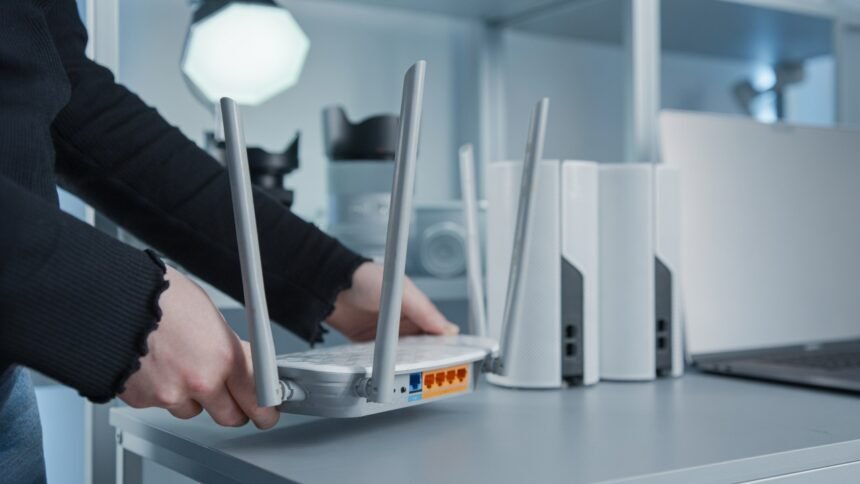
Most smart home gadgets today work through Wi Fi or a hub, and many now support the Matter standard, which lets devices from different brands talk to each other more easily. That matters because compatibility used to be one of the biggest headaches with smart home gadgets, and it is finally getting simpler.
Note on pricing. Prices for smart home gadgets change often depending on sales, region, and bundles, so treat any price mentioned here as a rough estimate rather than a fixed number. Always check the current listing before buying.
1. Robot Vacuum with Self-Emptying Dock
A robot vacuum is usually the gadget that convinces people smart home gadgets are worth it. The newer models with self-emptying docks mean you can go two or three weeks without touching a dustbin.
Pros
- Frees up time spent on daily floor cleaning
- Many models map your home and clean specific rooms on command
- Some now combine vacuuming and mopping in one pass
Cons
- Higher-end models with self-emptying docks cost more upfront
- Works best on hard floors and low-pile carpet, less effective on thick rugs
- Needs occasional maintenance like brush cleaning and filter replacement
Expert tip. Run the first few cleanings while you are home so the app can build an accurate map. It saves confusion later when you want to clean just the kitchen or just the bedroom.
2. Smart Video Doorbell
A video doorbell is one of the most practical smart home gadgets because it solves a real, everyday worry: knowing who is at your door before you open it. You can see deliveries, greet visitors, or ignore a stranger, all from your phone.
Pros
- Adds a real layer of home security
- Lets you talk to delivery drivers without opening the door
- Most models store short clips so you can review activity later
Cons
- Some brands require a paid subscription for full video history
- Battery-powered versions need regular recharging
- Wi Fi dead zones near the front door can cause lag or dropped connections
Common mistake. People install a video doorbell and never check the notification settings, so they end up buried in alerts for every passing car. Spend five minutes adjusting motion sensitivity after setup.
3. Smart Plug
If you want an easy entry point into smart home gadgets, a smart plug is it. Plug in a lamp, coffee maker, or space heater, and suddenly you can control it from your phone or a voice assistant, no electrician needed.
Pros
- Inexpensive and simple to set up
- Great for scheduling lights to turn on before you get home
- Works with almost any small appliance
Cons
- Only controls power on and off, not dimming or advanced settings on most models
- Bulky plug design can block a second outlet
- Needs a stable Wi Fi connection to respond quickly
I use a smart plug for my bedroom lamp so it turns on gradually before my alarm, and it has genuinely made mornings feel less abrupt.
4. Smart Lock
A smart lock is one of the smart home gadgets that feels like a small luxury until you use it, and then it feels essential. Unlocking the door with a code, a phone, or a fingerprint means no more fumbling for keys in the dark or during a grocery run.
Pros
- Lets you grant temporary access to guests, cleaners, or family without copying keys
- Many models log who came and went and when
- Reduces the risk of being locked out
Cons
- Installation can be tricky depending on your existing door hardware
- Battery dependent, so you need to keep spares on hand
- Some renters cannot install one without landlord approval
Expert tip. Choose a smart lock with a physical keyhole backup. Technology fails sometimes, and you do not want to be stuck outside because of a dead battery.
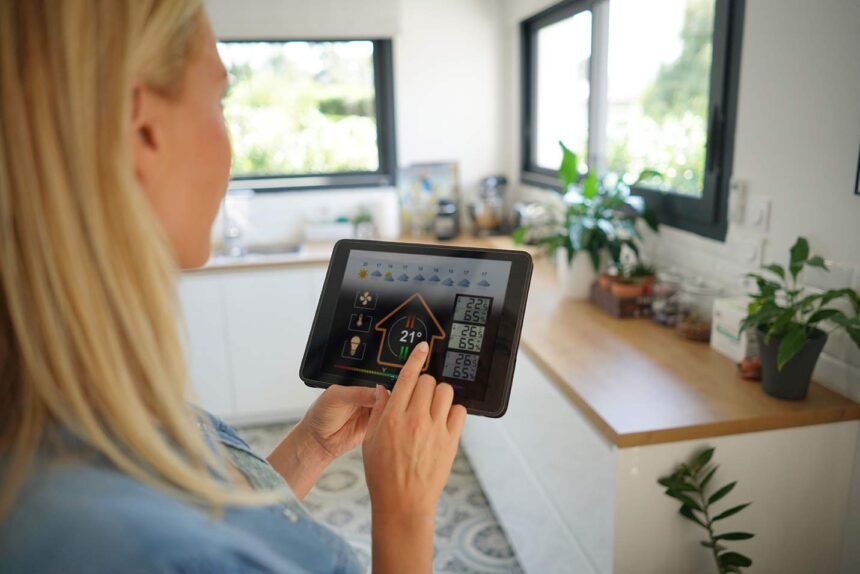
5. Smart Thermostat
Smart home gadgets that manage temperature tend to pay for themselves over time through lower energy bills. A smart thermostat learns your schedule and adjusts heating or cooling automatically, so you are not paying to heat an empty house.
Pros
- Can reduce energy costs by adjusting temperature when nobody is home
- Controllable remotely, useful if plans change unexpectedly
- Many models give usage reports so you can spot wasteful habits
Cons
- Upfront cost is higher than a standard thermostat
- Some older HVAC systems are not compatible
- Learning algorithms take a week or two to adjust to your real routine
6. Smart Speaker with Voice Assistant
A smart speaker often becomes the control center for every other device in the house. Ask it to turn off the lights, set a timer, or read your calendar, and it becomes one of the most used smart home gadgets in daily life.
Pros
- Hands-free control is genuinely useful while cooking or cleaning
- Works as a hub to connect other smart home gadgets
- Doubles as a decent speaker for music and podcasts
Cons
- Always listening for a wake word raises valid privacy questions
- Voice recognition can misfire in noisy rooms
- Sound quality varies a lot between budget and premium models
Common mistake. People buy a smart speaker and only ever use it for music, missing out on routines that can trigger several smart home gadgets at once, like a single command that locks the door, turns off lights, and adjusts the thermostat before bed.
7. Smart Lighting System
Smart bulbs and smart light strips are some of the most flexible smart home gadgets you can buy. They let you set the mood for a dinner, wake up gradually with a sunrise simulation, or turn every light off from bed.
Pros
- Easy to install, usually screw in and connect to an app
- Scheduling and scenes make the home feel more intentional
- Some models adjust color temperature to support better sleep
Cons
- Smart bulbs cost more than regular ones
- Requires everyone in the household to use the app or a smart switch, or the automation gets confusing
- Some setups need a separate hub, adding cost and complexity
8. Smart Air Purifier
For anyone dealing with allergies, pet dander, or city pollution, a smart air purifier belongs on any serious list of smart home gadgets. It monitors air quality and adjusts fan speed automatically instead of running full blast all day.
Pros
- Real-time air quality readings help you understand your home environment
- Automatic mode saves energy compared to running on high constantly
- App alerts remind you when to replace filters
Cons
- Replacement filters are an ongoing cost
- Larger rooms may need more than one unit
- Some models are noisy on higher fan settings
9. Smart Kitchen Scale or Coffee Maker
Smart home gadgets have made their way into the kitchen too. A smart coffee maker that starts brewing on a schedule, or a connected kitchen scale that syncs with recipe apps, removes small daily friction points.
Pros
- Scheduled brewing means coffee is ready without you setting an alarm for it
- Recipe syncing reduces guesswork when cooking or baking
- Many models can be started remotely if plans change
Cons
- Smart kitchen appliances tend to cost more than standard versions
- App reliability varies between brands
- Not essential if you already have a simple routine that works
10. Smart Smoke and Carbon Monoxide Detector
This is the least exciting entry on the list, but it might be the most important. Smart home gadgets that monitor smoke and carbon monoxide send alerts straight to your phone, even if you are not home to hear the alarm.
Pros
- Sends mobile alerts, useful if you are traveling or at work
- Many models test themselves and notify you of low battery automatically
- Some integrate with smart plugs to shut off connected appliances during an alert
Cons
- More expensive than a basic detector
- Requires Wi Fi to send remote alerts, so a connection outage limits functionality
- Still needs the same maintenance as traditional detectors, like sensor replacement over time
Common Mistakes People Make with Smart Home Gadgets
Buying too many gadgets at once is probably the biggest one. It is tempting to fill a cart with smart home gadgets after browsing one article, but starting with one or two lets you learn the app, the automation, and the quirks before adding more.
Ignoring the app permissions is another mistake worth avoiding. Many smart home gadgets ask for location access, camera access, or microphone access that goes beyond what the device actually needs, so it is worth reviewing those settings during setup.
Skipping the hub question is a subtle one too. Some smart home gadgets need a separate hub to work well together, and buying devices from too many different ecosystems can leave you juggling multiple apps instead of one simple dashboard.
Expert Tips Before You Buy Smart Home Gadgets
Check compatibility first. Before buying any smart home gadgets, confirm they work with the voice assistant or hub you already use, whether that is Alexa, Google Home, or Apple Home.
Start with one room. Instead of automating the whole house, pick a bedroom or kitchen and build out from there. It keeps the learning curve manageable.
Read the subscription fine print. Some smart home gadgets, especially cameras and doorbells, lock useful features behind a monthly fee. Factor that into the real cost before buying.
Keep firmware updated. Outdated firmware is one of the most common reasons smart home gadgets stop responding properly or develop security gaps.
This list is part of a broader roundup on Paradox Smart Gadgets, where I regularly test and compare devices that genuinely simplify daily routines rather than just adding another app to your phone.
Frequently Asked Questions
- Are smart home gadgets worth the investment?
For most households, yes, especially devices like smart plugs, smart locks, and robot vacuums that save time daily. The value depends on how often you actually use the automation rather than letting it sit idle.
- Do smart home gadgets work without Wi Fi?
Most require Wi Fi or a hub to function fully, though some basic features, like a robot vacuum’s manual start button, still work offline. Consistent internet is important for remote control and alerts.
- Which smart home gadgets are best for beginners?
Smart plugs and smart bulbs are the easiest starting point because they are affordable and simple to set up without any wiring changes.
- Can smart home gadgets from different brands work together?
Many now support the Matter standard, which improves cross-brand compatibility, but it is still smart to check compatibility before buying, since not every device supports every platform equally well.
- Are smart home gadgets safe from hacking?
No connected device is completely risk-free, but using strong, unique passwords, enabling two-factor authentication where available, and keeping firmware updated significantly reduces the risk.
- How many smart home gadgets should I start with?
Two or three is a reasonable starting point. It gives you time to understand the app, the automation routines, and whether the ecosystem fits your daily habits before expanding further.
- Do smart home gadgets increase home value?
Some buyers see smart locks, thermostats, and security systems as a plus, though it varies by market and buyer preference. It is more of a convenience upgrade than a guaranteed resale boost.
- What is the biggest downside of smart home gadgets?
Ongoing costs and privacy considerations are the two most common concerns. Subscription fees for cameras and doorbells, along with data collected by voice assistants, are worth weighing before you commit to a full setup.
Expert’s Opinion
Smart home gadgets are not about turning your house into something out of a movie. They are about removing small daily frustrations, whether that is forgetting to lock the door, running out of coffee time in the morning, or worrying about air quality during allergy season. Some of the ten gadgets on this list will matter more to you than others, and that is fine. The best approach is choosing the smart home gadgets that solve your actual problems, not the ones that look impressive in a demo video.